
What it does
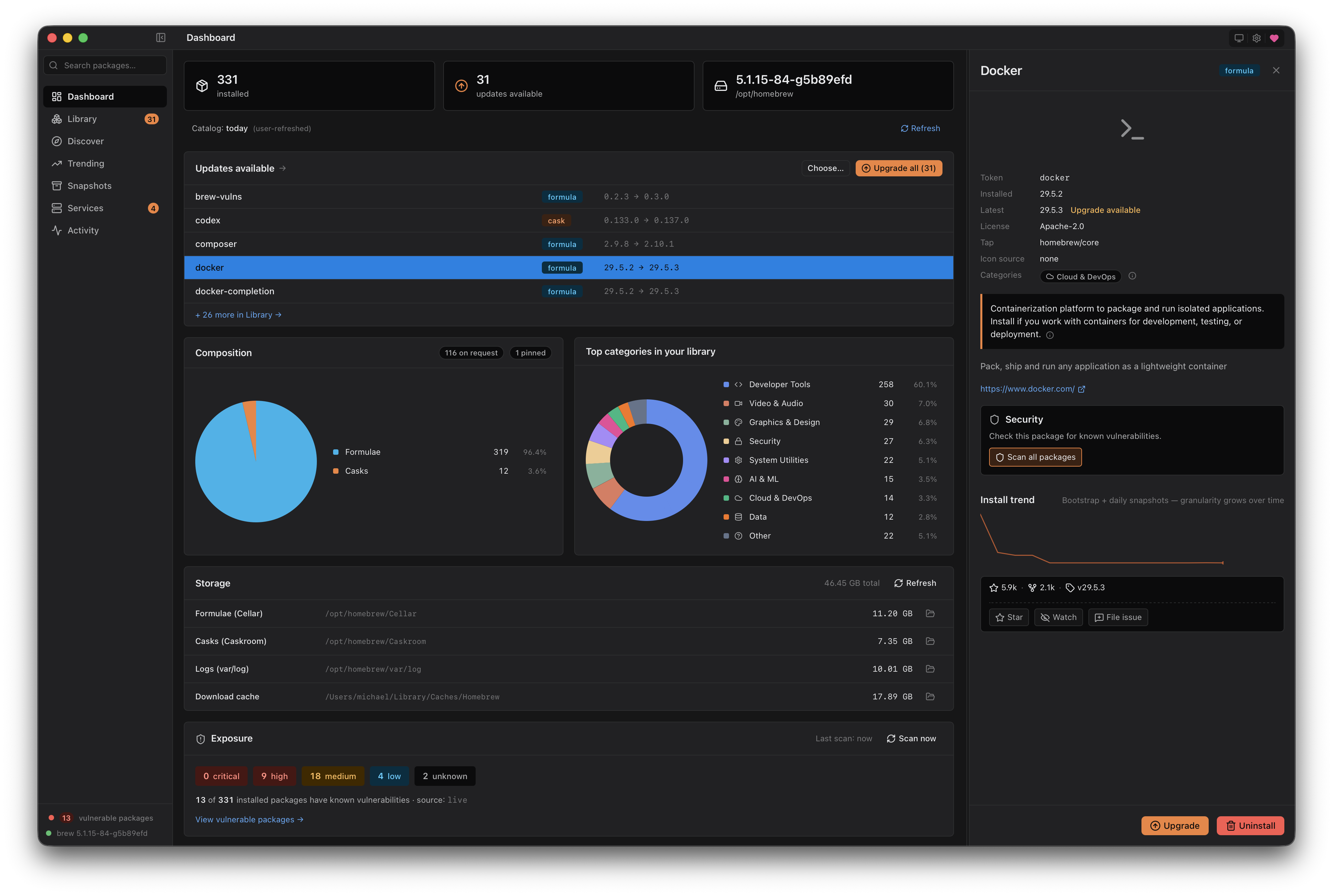
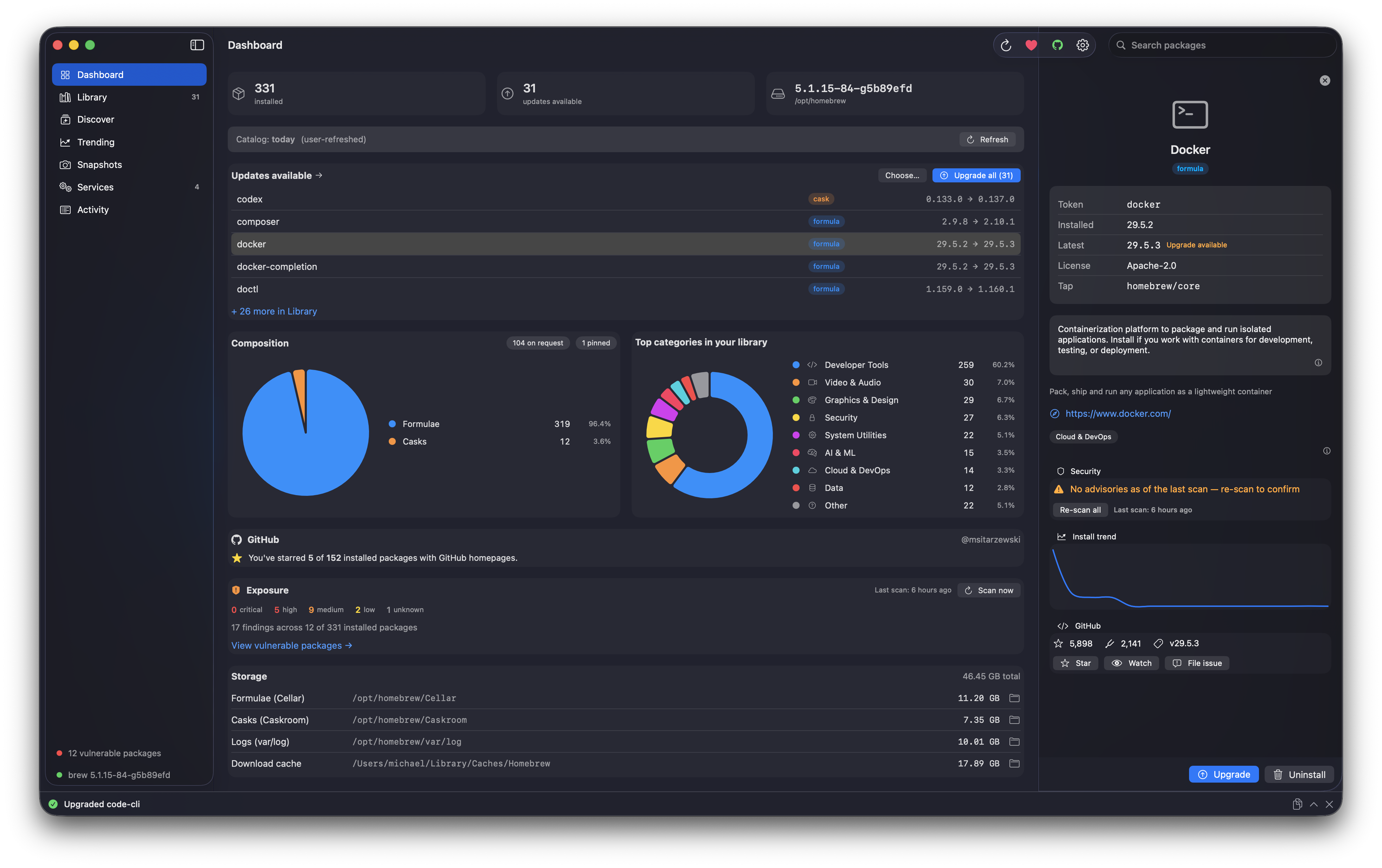
Dashboard
Your Homebrew at a glance: installed count, updates available, brew version, formula/cask split, top-categories donut, and storage usage with one-click Reveal in Finder.
Library
Every installed formula and cask in one dense, filterable list, with outdated badges and a slide-over detail panel. Cask icons extracted from the real .app bundle.
Discover
Search the full Homebrew package index (16,028 packages, bundled at build time) by name or by the 19-category tile grid. 15,725 of those carry AI-curated friendly names and summaries baked in at build time — zero LLM calls at runtime.
Trending
Top packages from Homebrew's own published formulae.brew.sh install analytics. 30 / 90 / 365 day windows, a velocity index (recent month vs prior eleven so genuinely emerging packages out-rank stably-popular ones), and opt-in per-package install-trend sparklines.
Snapshots
Save your full Homebrew setup as a Brewfile, restore on a new Mac in one click. Uses Homebrew's own brew bundle mechanism. Multiple snapshots stored locally.
Services
List, start, stop, and restart background services managed by launchd through brew services. Status pills update live.
Activity
Every brew invocation streams live into a bottom drawer with full stdout, stderr, and session history. Nothing hidden, nothing surprising.
Updates
A title-bar pill quietly tells you when a newer brew-browser version exists. Every artifact is verified end-to-end against an embedded minisign public key before a single byte hits your disk. Daily auto-check is off by default; you opt in.
Security
Opt-in vulnerability scanning. Surfaces known CVEs against your installed formulae via the official brew vulns subcommand (OSV.dev under the hood), with optional GHSA enrichment when you're signed into GitHub. Dashboard Exposure card, Sidebar count badge, per-row severity dots, PackageDetail Security card with one-click Upgrade to fix wired straight to the existing upgrade pipeline. Off by default; first-launch posture unchanged.
Two builds, one design
A cross-platform Tauri 2 app (Rust + SvelteKit) for macOS 13+ and Linux, and a fully native Swift 6 + SwiftUI + Liquid Glass app for macOS 26 — same features, same brew integration, same privacy posture, kept in lock-step parity. Cmd+K palette, Cmd+0…6 section jumps, type-ahead search, live Activity drawer in both.
Open by default
- MIT licensed. Use it however you want.
- Full source. 41 Rust files + 63 Svelte/TypeScript files. Read every line.
- No CLA. Your contributions stay yours.
- No EULA. No click-through to use the app.
- No telemetry. No analytics, no crash reporting, no third-party pixels.
- No accounts. No sign-in, no cloud sync, no required services.
- No surprise network. Every outbound call is documented and gated. Eleven paths total — Homebrew's analytics for Trending, the catalog refresh, cask homepage probes (SSRF-filtered), GitHub repo stats, GitHub OAuth + authed actions when you opt in,
brewitself, your default browser, the updater manifest, the signed updater artifact, the opt-in Enhanced Trending History endpoint (project infra, IP-redacted logs), and the opt-in Vulnerability Scanning surface (OSV.dev + source forges viabrew vulnssubprocess + optional GHSA enrichment when you're also signed into GitHub). Full enumeration in the README network posture. Flip on Offline Mode in Settings to block them all in one click.
Security posture
Independently audited and scanned across the major tools developers actually use to assess open-source projects:
cargo auditcargo denynpm auditosv-scannersemgrep (security-audit + OWASP-10)gitleakscargo clippy -D warningsunsafe RustFull audit at memory-bank/security.md. Vulnerability reporting policy at SECURITY.md.
Get it
Direct download (recommended): the signed & notarized .dmg is on the latest release. It's the build signed and tested directly each release, and it keeps you on the app's own verified updater.
Which download?
- Apple Silicon (M-series), macOS 13+.
brew-browser_<version>_aarch64.dmg - Intel Mac, macOS 13+.
brew-browser_<version>_x64.dmg - Native build, macOS 26.
BrewBrowser-<version>-arm64.dmg(M-series) orBrewBrowser-<version>-x86_64.dmg(Intel). - Linux. Coming.
Or install with Homebrew:
brew tap msitarzewski/brew-browser
brew trust msitarzewski/brew-browser
brew install --cask brew-browser
Installs the same notarized .dmg (Apple Silicon or Intel). The brew trust step is a one-time requirement on Homebrew 6.0+, which won't load casks from non-official taps until you trust them.
Or build it yourself from source — the cross-platform Tauri build:
git clone https://github.com/msitarzewski/brew-browser
cd brew-browser
npm install
npm run tauri build      # produces a .dmg in src-tauri/target/release/bundle/
Prereqs: Rust, Node 22+, Homebrew, Xcode Command Line Tools.
…or the fully native Swift / SwiftUI build (macOS 26):
cd brew-browser/native
swift build
./build-app.sh           # wraps into Brew Browser.app
open BrewBrowser.app
Prereqs: macOS 26 + a recent Xcode toolchain. The native build lives in native/ as a Swift Package.